01 · Add photos
Drop in
the whole day
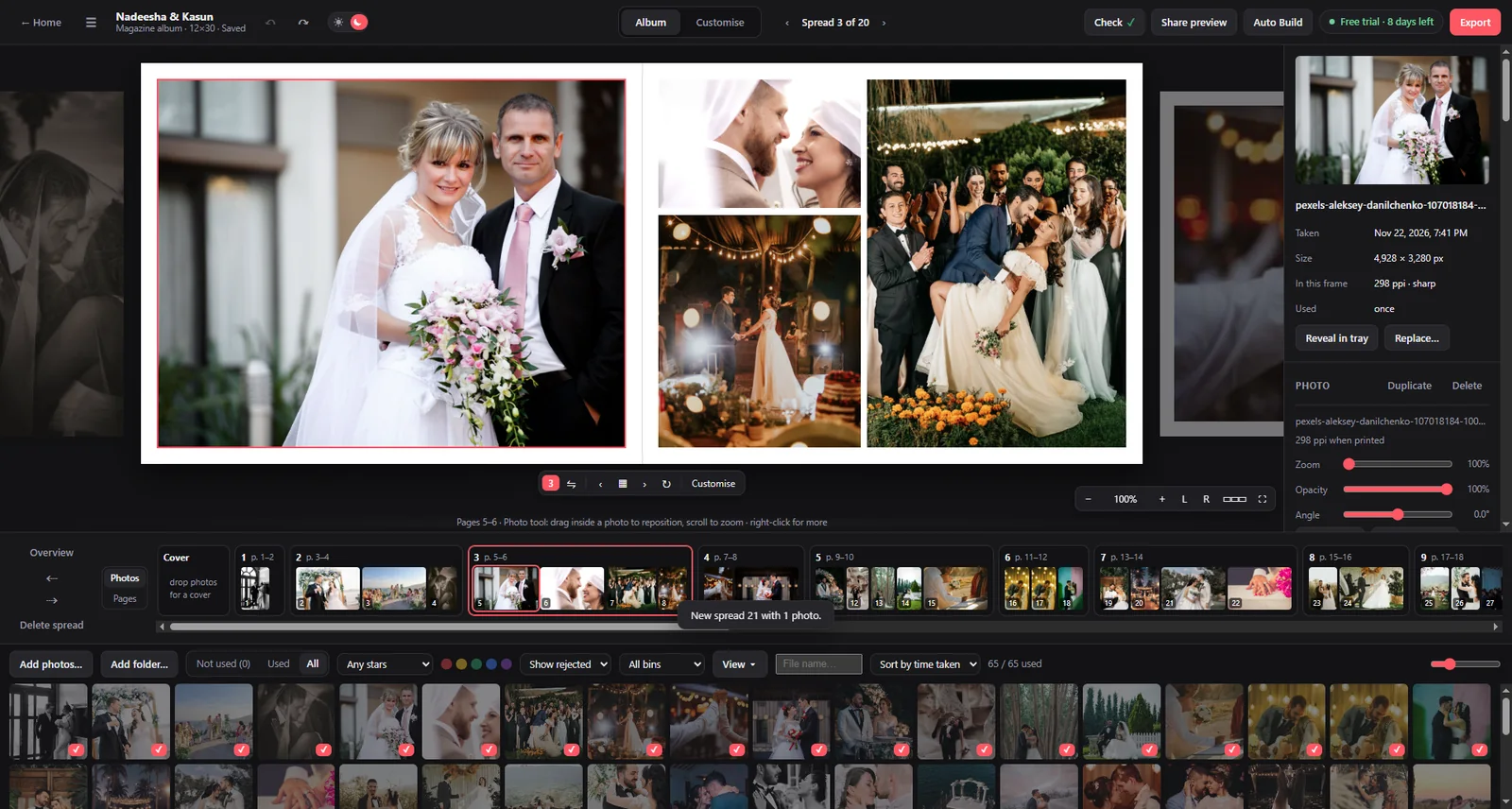
Add a folder and every photo lands in the tray, in the order it was taken.
For wedding photographers and studios
Drop in the day's photos and Pixel Album Pro builds the whole magazine album, spread by spread, in the order the day happened. Then make it yours, send the couple a 3D proof, and export print-ready files.
14-day free trial · No card needed · Windows 10 and 11 · See how it works ↓
01 · Add photos
Add a folder and every photo lands in the tray, in the order it was taken.
02 · Auto Build
Moments in the order the day happened, with the best photo in the biggest frame.
03 · Smart layouts
Designs made for the portraits and landscapes you actually have. Change a spread with one key.
04 · Thank you cards
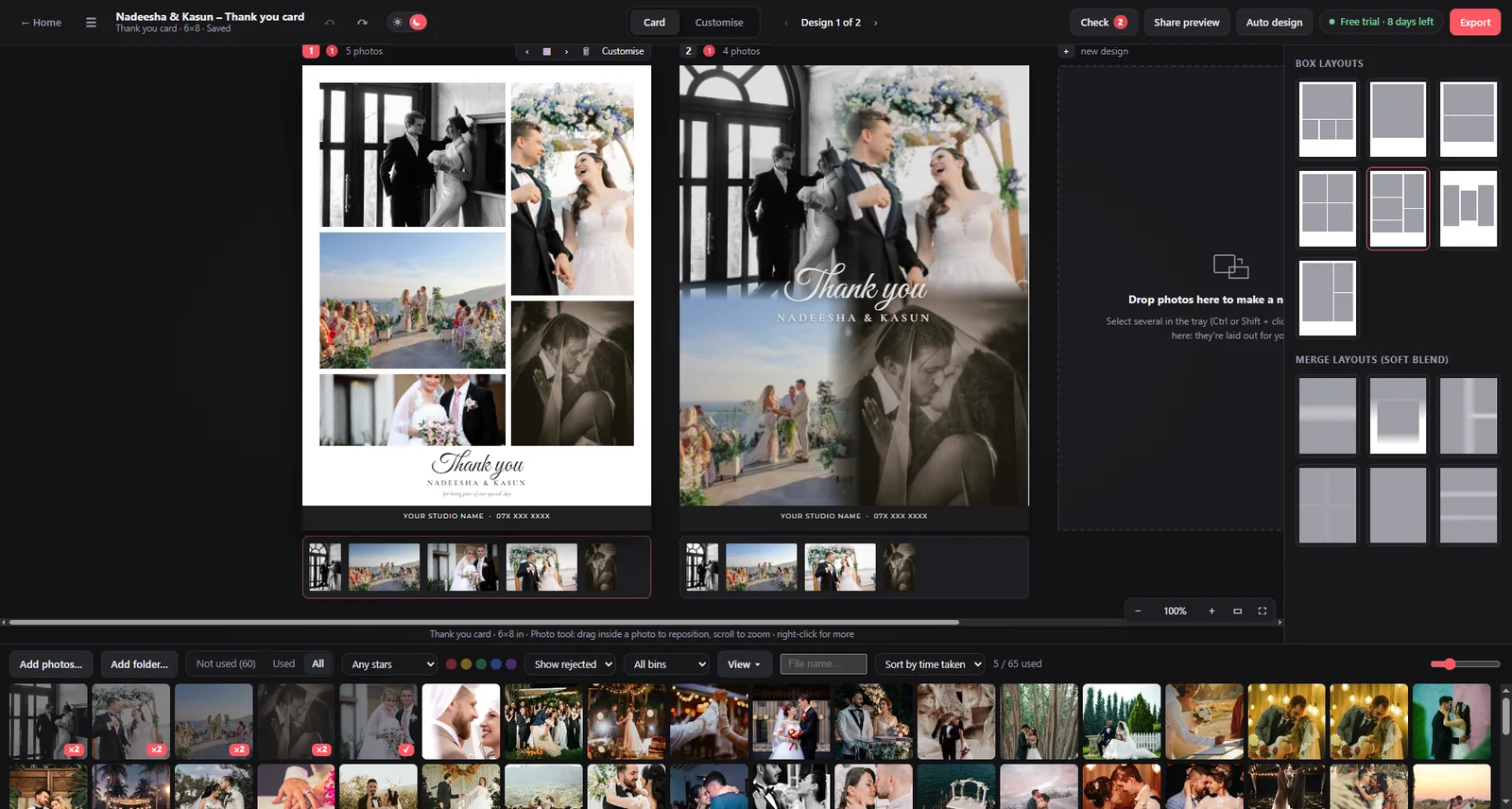
Turn the wedding photos into a thank you card in a few clicks, with your studio name along the foot.
05 · Retouch & blend
Paint one photo into another with a soft brush. Your original files are never changed.
06 · Design Check
Every spread checked for resolution, the fold and the page edge, with one-click fixes.
07 · Client proofs
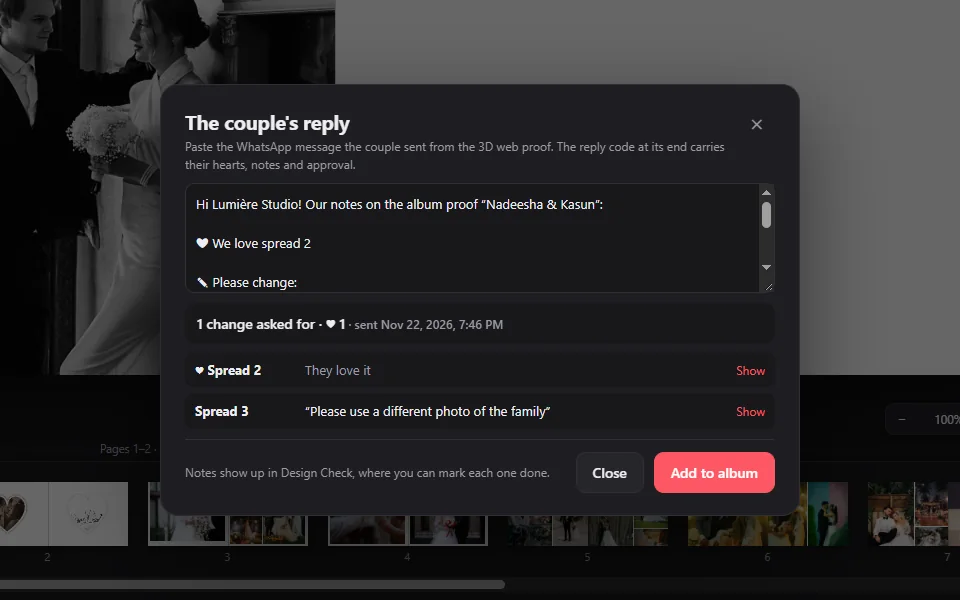
Send the couple a 3D proof. Their hearts and notes come straight back onto the right spread.



25 ready sizes from 12×30 to square and metric, or your own in inches or cm, with bleed.
Stars, colour labels and rejects, right in the tray. Quick Look opens any photo full size.
Look-alikes and soft or dark shots stay in the tray. Photos with 3+ stars are always kept.
Fewer or more photos per spread, an exact number of spreads, the layout style you like.
Even, Editorial, Hero, Edge to edge, Gallery or Panorama: filter the ideas, pick one, done.
Mirror, re-design, left page or right page: every change can be undone.
Photos in neat boxes, or blended into each other. 6×8 or any size you like.
A first draft in one click, then fine-tune it in the free designer.
Heal, clone, dodge, burn, sponge, smooth skin, blur, sharpen and colour.
Looks, light and a colour mixer, for one photo or the whole spread.
Each photo shows how sharp it will print while you design.
Extend to the edge, move off the fold, swap a soft photo: done in a click.
A page-turning album they open on any phone, or a numbered PDF.
Paste their WhatsApp reply and every note lands in Design Check.
Made for every kind of wedding
Features
Smart layouts look at how many portraits and landscapes are on the spread and offer designs that fit them, not the other way round. Filter by Even, Editorial, Hero, Edge to edge, Gallery or Panorama, or browse 28 shaped frames: arches, circles, hearts and more.
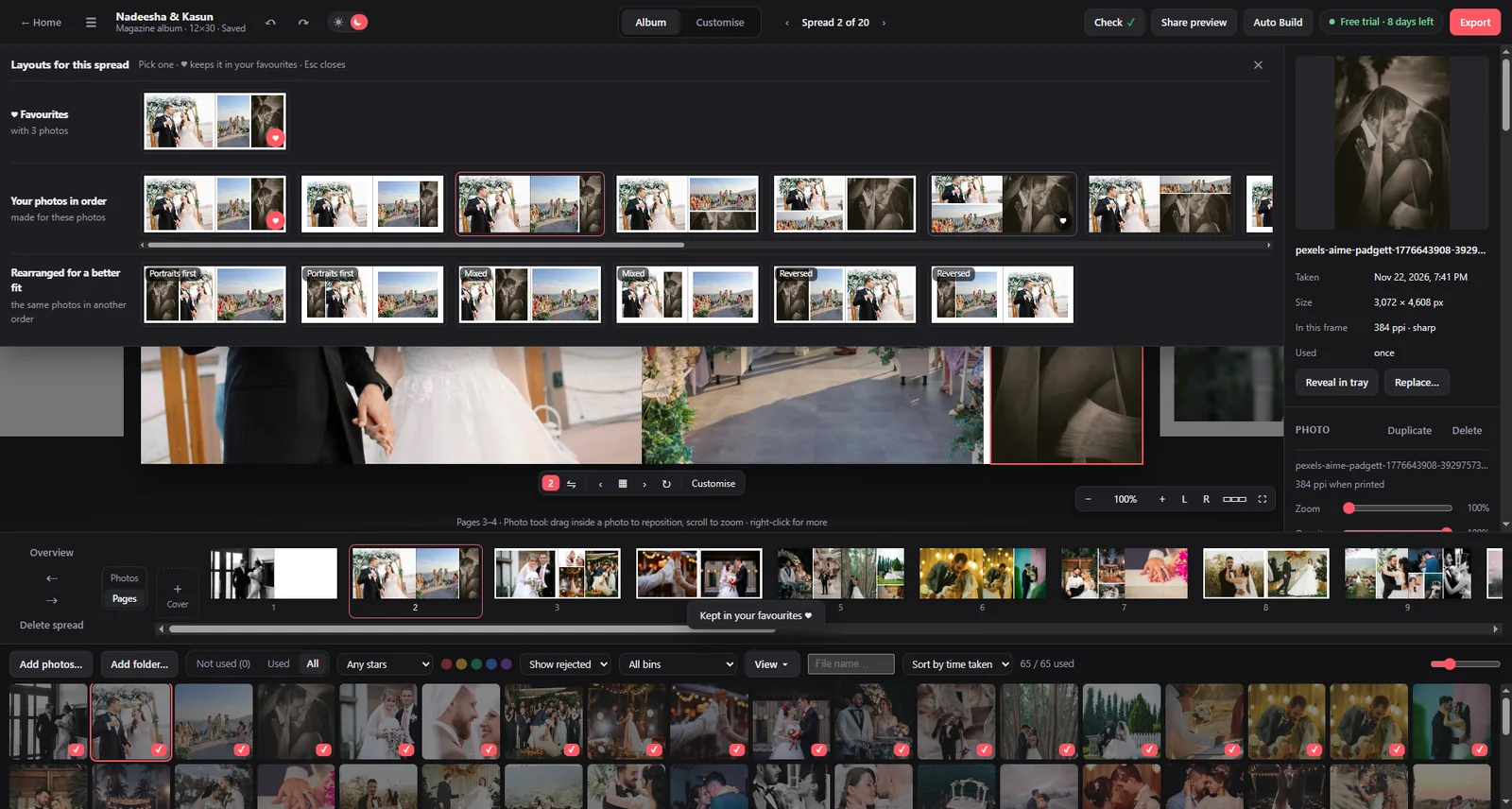
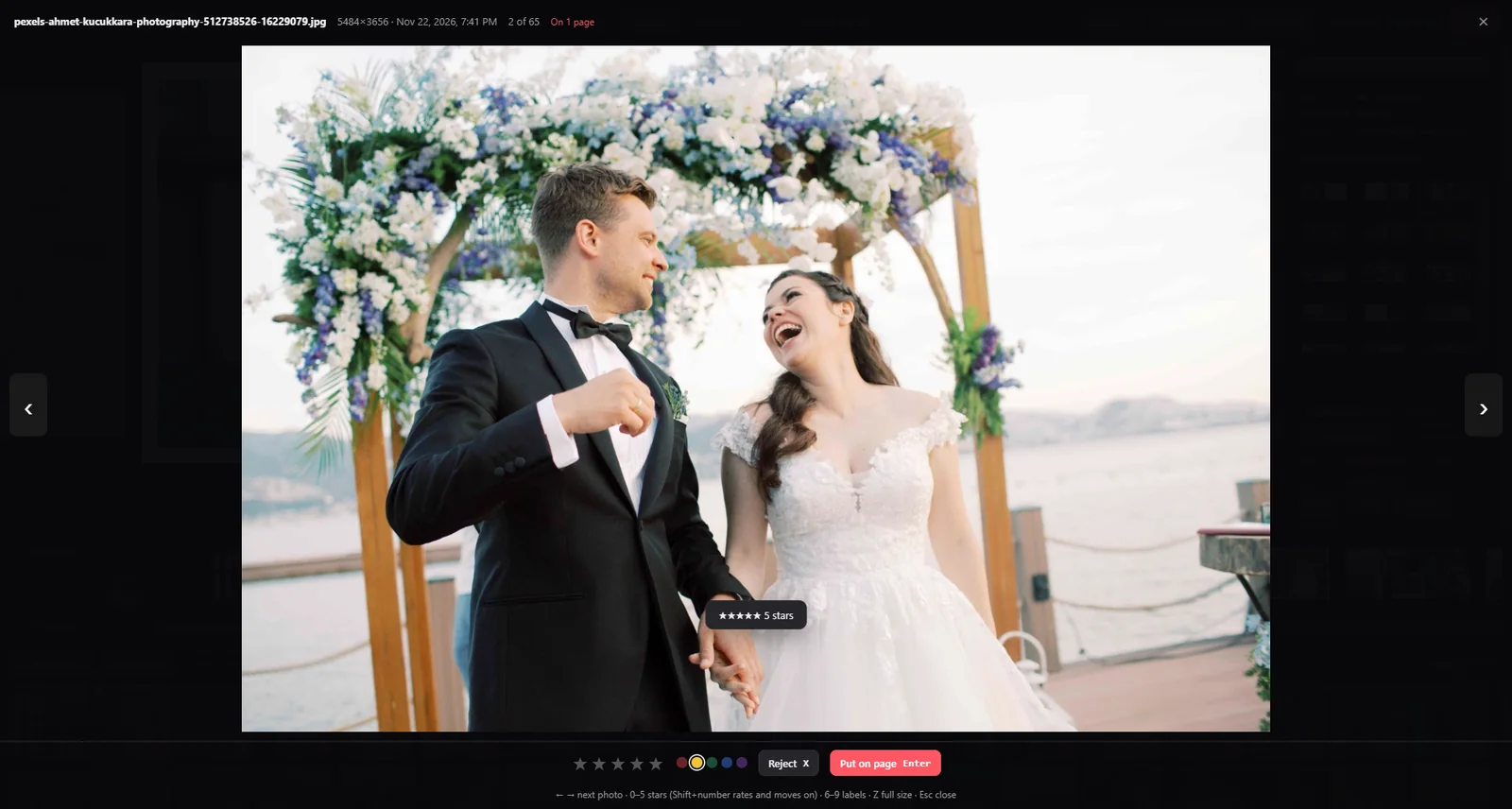
Stars, colour labels and rejects right where you design. Filter by used and not used, by bin or by time taken, and open any photo full size with Quick Look. Moved a folder? Relink it in one go.
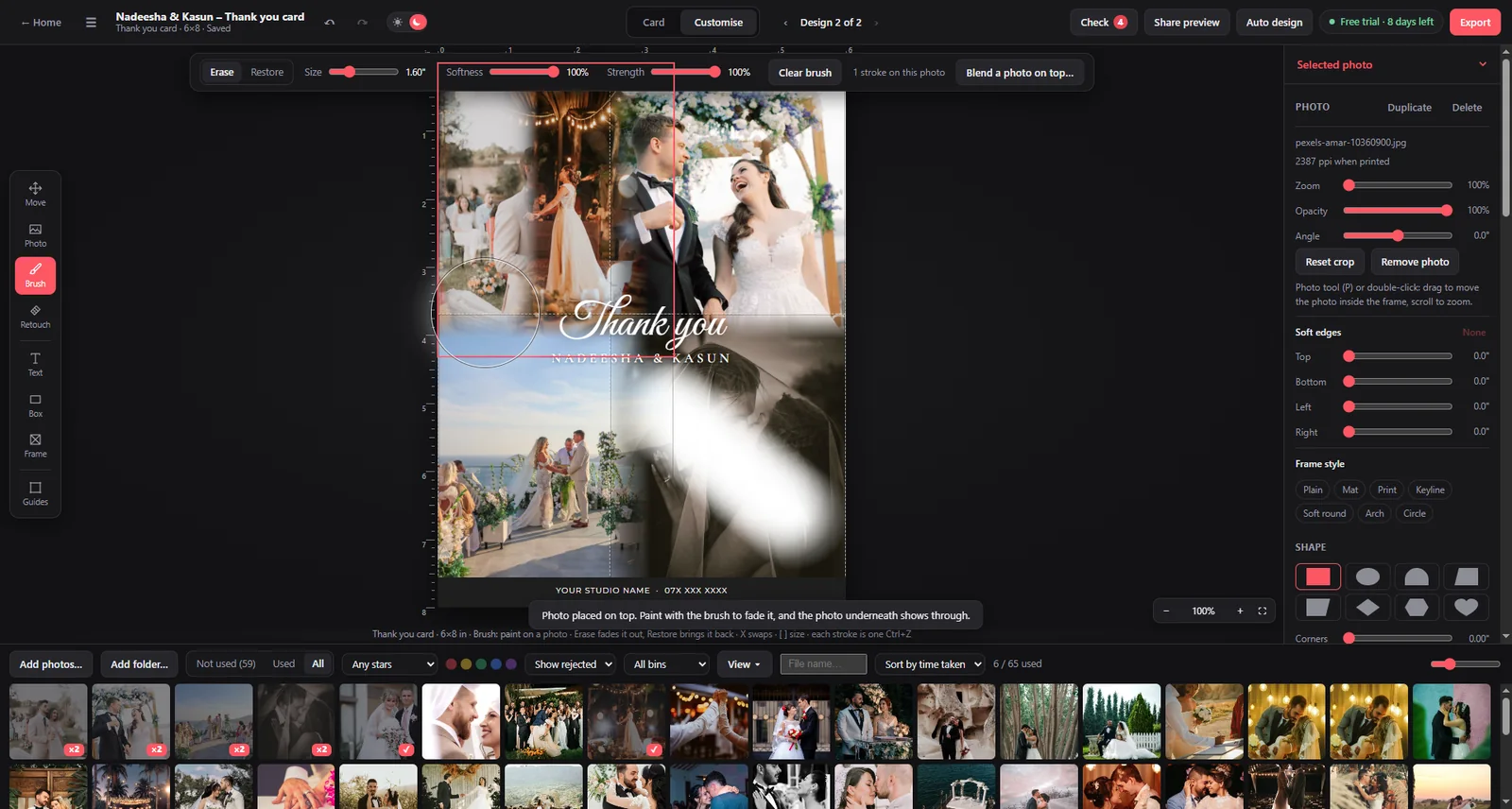
Blend two photos with a soft brush, like a layer mask. Heal, clone, dodge, burn and smooth skin without leaving the spread. Colour and tone with looks, light and a colour mixer. Your original files are never changed.
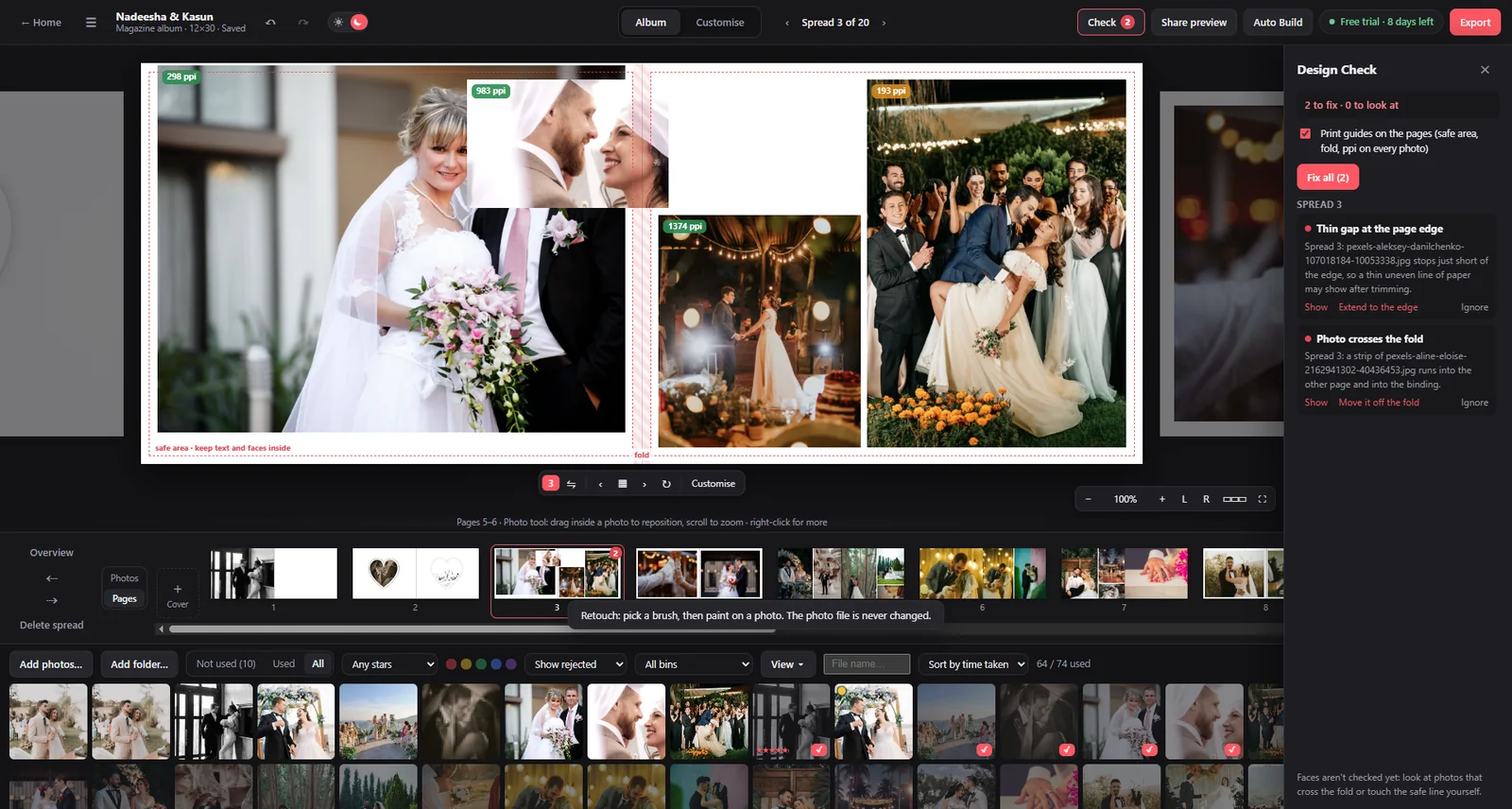
Design Check walks every spread for low resolution photos, thin gaps at the page edge and faces running into the fold, and fixes most of them with one click. A print check runs again before every export.
6×8 or any size you like, with Box and Merge layouts, backgrounds and patterns, script text designs and your studio name along the foot. Auto design gives you a first draft in a click.
Client proofs
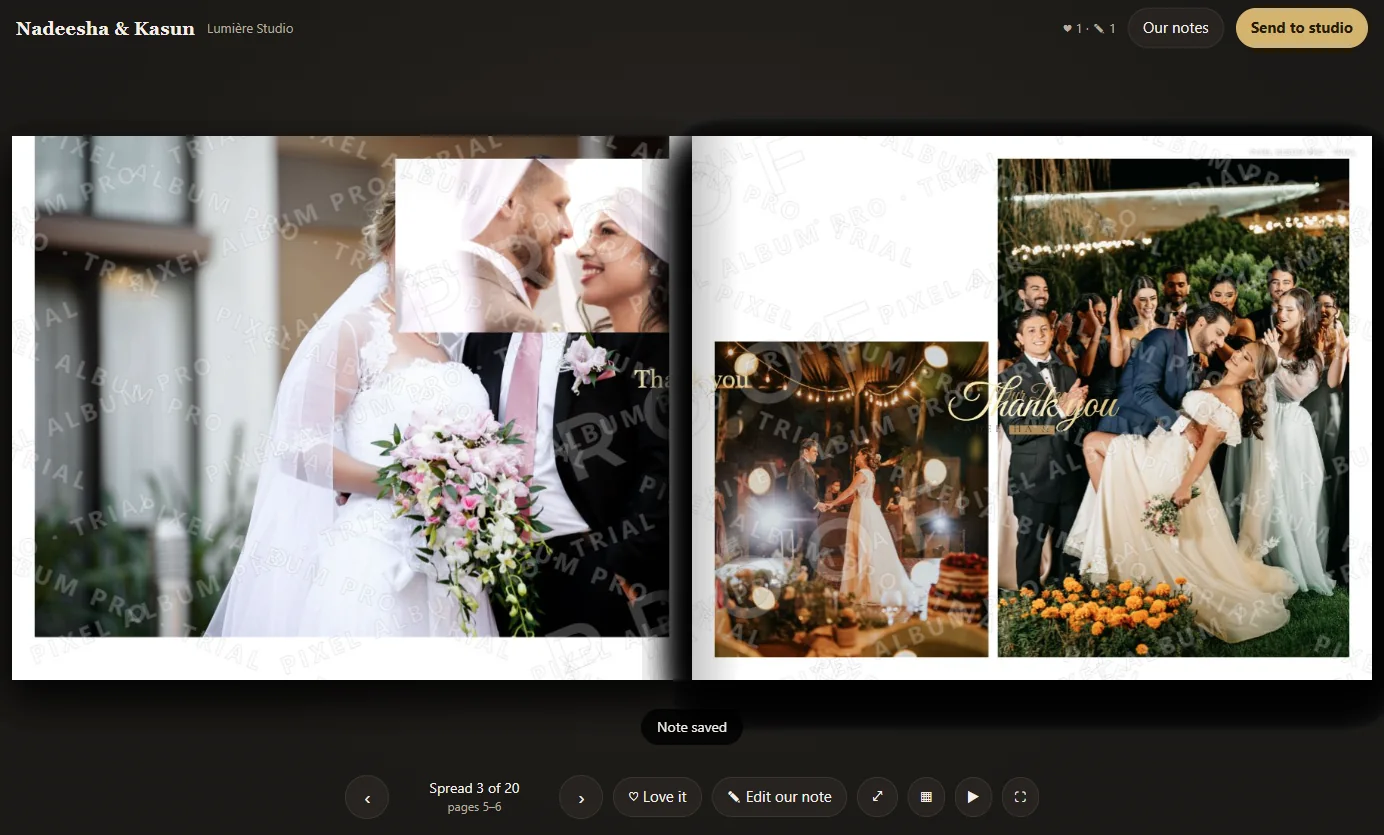
Share a page-turning 3D proof of the album. They tap ♥ on the spreads they love and leave a note on the ones to change, then send it all back on WhatsApp. Paste their reply into the app and every note lands on the right spread, ready to tick off in Design Check.
And the small things
Find any command by name, and set your own shortcuts.
Every album is saved as you go, with backups you can roll back to.
See the whole album as a contact sheet and rearrange it by dragging.
A dark workspace for colour work, or light if you prefer.
3 mm or your own bleed, inches or centimetres, any custom size.
Design the cover with the spine and wrap in the right place.
Hand finished spreads to Photoshop or the lab with layers intact.
Designing happens on your computer. Nothing is uploaded to make an album.
Pricing
Then pick a plan. One licence covers up to two of your computers.
LKR0for 14 days
$0 USD
LKR2,500per month
$7.99 USD per month
FAQ
Not yet, but it's coming soon. Pixel Album Pro runs on Windows 10 and 11 (64-bit) today.
No. You design on your own computer and your photo files are never changed. Only the 3D proof you choose to share is put online, so the couple can open it.
Your albums stay on your computer. Pick a monthly or yearly plan to keep designing and exporting without the watermark.
25 ready sizes in landscape, square, portrait and metric groups, such as 12×30 and 12×36, or type your own size in inches or centimetres, with the bleed your lab asks for.
High quality JPG spreads or layered PSD files, checked for resolution, bleed and the fold before they are written.
Yes. One licence covers two computers.
Choose a plan in the app under Plans. In Sri Lanka you can pay by bank transfer and send the receipt on WhatsApp; your plan is switched on within a few hours.

Download Pixel Album Pro and build your first album from a real shoot today.
Windows 10 and 11 · 64-bit installer · 14-day free trial